Hands-on-Test
General Features
The Ulefone Armor 27T Pro is a unique outdoor smartphone equipped with a large display and advanced features. It is IP69 certified for water resistance, including protection against high-pressure or steam jet cleaning. Additionally, it is dustproof and can survive drops from heights of up to 2 meters. The device meets the MIL-STD-810H military standard. With a battery capacity of 10,600 mAh, it is designed for extremely long usage times. However, this robust design contributes to its high weight of approximately 440 grams. The 6.78-inch LCD has a resolution of 2460 × 1080 pixels (Full HD+) and a refresh rate of 120 Hz. The screen is protected by Gorilla Glass. With 12 GB of RAM and 256 GB of internal storage, the device offers generous capacity, which can be further expanded via microSD to up to 2 TB. Connectivity features include USB-C 2.0, Wi-Fi 5, Bluetooth 5.2, and NFC. Frequently used functions can be assigned to a programmable button.
Camera System & Image Quality
The Ulefone Armor 27T Pro is equipped with four cameras:
- Main Camera: 50 MP (f/1.65), wide-angle, 1/1.31" sensor size
- Infrared Night Vision Camera: 64 MP (f/1.8), 1/1.34" sensor size
- Thermal Imaging Camera: 0.048 MP
- Selfie Camera: 32 MP (f/2.5), 80° wide-angle
With an infrared sensor and two IR LEDs, the Armor 27T Pro makes complete darkness visible. It also features a built-in FLIR thermal imaging micro-camera, capable of detecting thermal radiation from objects and converting it into visible images. The integrated thermal imaging app converts sensor data into images with a resolution of 1080x1440 pixels.
The main camera utilizes a large 1/1.31-inch, 50-megapixel sensor with a pixel size of 1.2 µm. The 32 MP selfie camera also offers high resolution, with a pixel size of 0.8 µm.
In daylight conditions (2000 lx), the main camera produces good-quality images, achieving a score of 64 points for standard focal length. However, the quality drops to 27 points with 4x zoom, resulting in an overall score of 56 points in the “Sunny” category. While surface details are well-reproduced, edges and fine details can appear overly accentuated due to strong software sharpening.
Under indoor lighting (250 lx), the image quality remains nearly identical at standard focal length (67 points), but drops significantly with 4x zoom, scoring only 15 points. While smooth areas remain acceptable, sharpness diminishes noticeably, and slanted edges appear jagged.
Thanks to the large sensor, images under low-light conditions (10 lx) remain decent at standard focal length, but performance with 4x zoom drops to 15 points. Sharpness decreases significantly, although surface representation remains acceptable.
The selfie camera’s performance is underwhelming, reflected in a low score of 17 points, particularly under low-light conditions.
The autofocus delay is average, scoring 35 points. The stabilization test yields 54 points, leading to an overall score of 44 points. The absence of optical image stabilization (OIS) is noticeable.
Video recording is supported at a maximum resolution of 1440x1080 pixels with up to 30 frames per second. Video quality is good, with the 27T Pro achieving an overall score of 78 points and scoring over 80 points in daylight and indoor lighting conditions.
Hands-on-Review
The Ulefone Armor 27T Pro is a true tank of a smartphone. With a depth of 1.85 cm, it feels massive, and its weight is noticeable over extended periods. As an everyday smartphone, it is somewhat impractical, partly because it doesn’t fit in most pockets. However, as an outdoor smartphone and tool, it performs exceptionally well. Despite its size and weight, the device is easy to handle.
The standard camera app provides access to the main and night vision cameras. It includes common photo modes such as Portrait, Sport, Panorama, and Pro Mode. The app is smooth to operate, and noticeable loading times only occur when using the 50 MP mode, though this is not particularly disruptive.
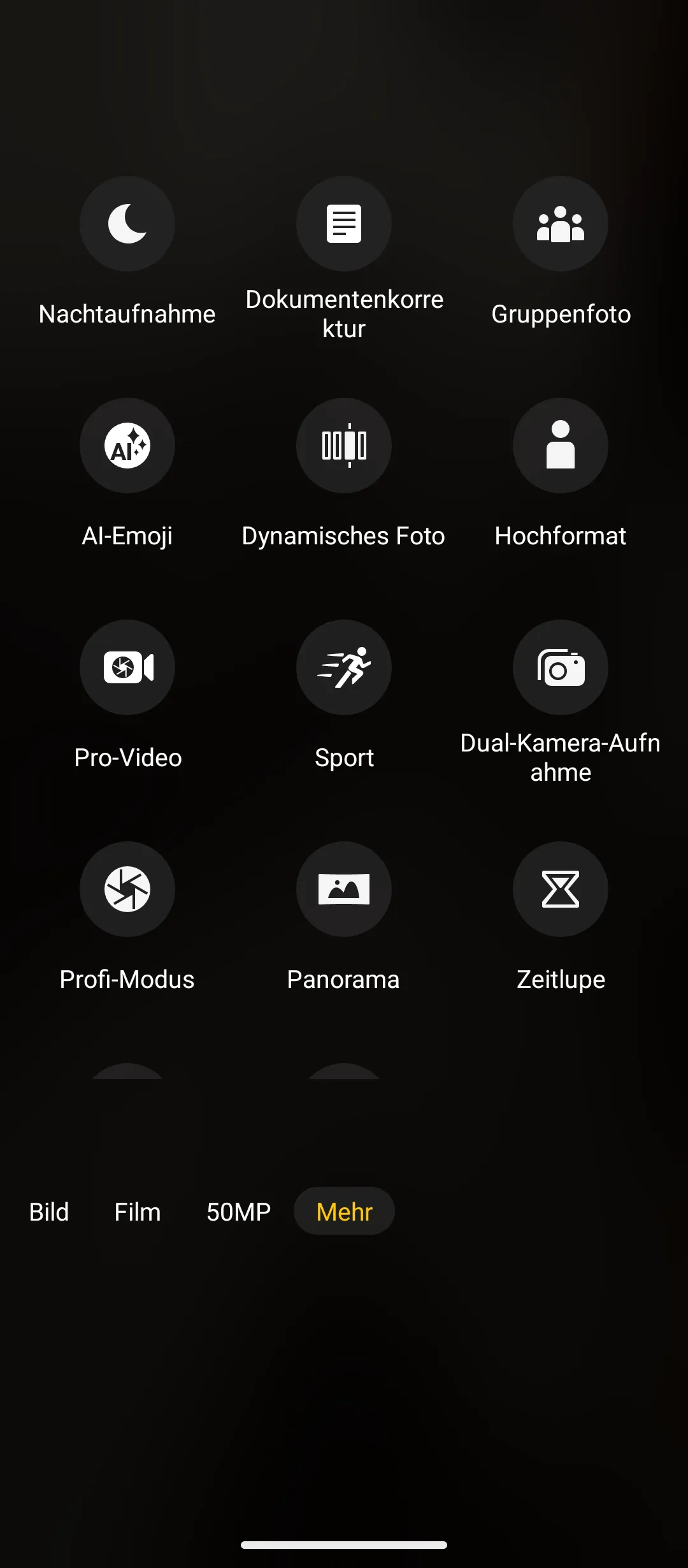

Clear menu: all settings are quickly accessible
Under good lighting conditions, the quality of 1x and 2x zoom images is often excellent. In 50 MP mode, even fine details are well-resolved and clearly visible.


In 50MP mode, the details are very clearly visible in good light (right partial section)


1x-Zoom and 2x-Zoom
However, the lack of optical image stabilization causes occasional issues. Even at shutter speeds around 1/100s, noticeable artifacts can occur. Edges are often doubled, making images appear blurry. Since these artifacts are not uniformly distributed across the image, they are likely caused by an algorithmic error in the automatic post-processing.


Blurred / doubled edges when shooting handheld (1/113s exposure time)
The portrait mode works reasonably well and offers various settings, allowing users to adjust different aspects of post-processing. However, there is no option to modify depth of field. For better subject emphasis, the “Portrait Orientation” mode is preferable, where aperture settings and depth of field can be adjusted.

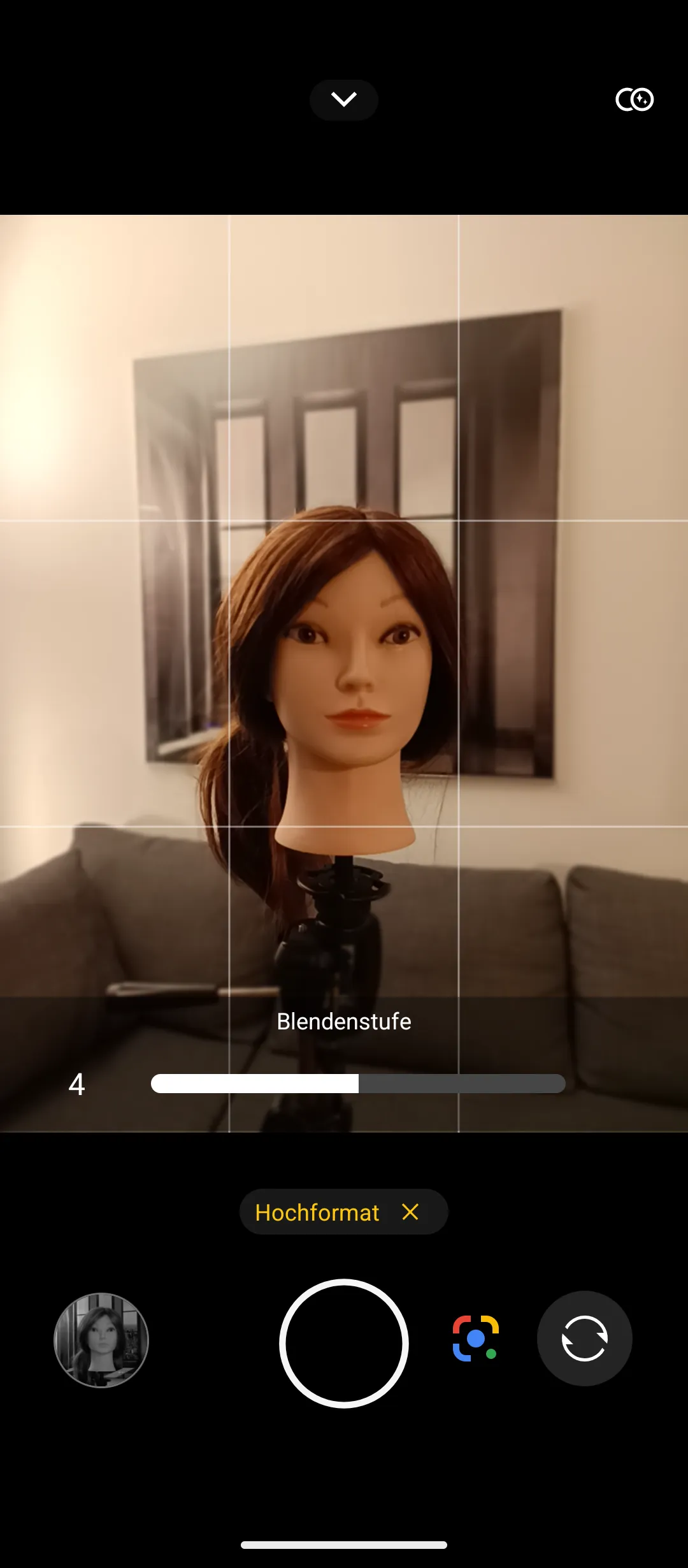
Left: the autofocus is not always accurate. Right: in portrait mode, the aperture level can be adjusted and with it the depth of field.
As lighting conditions worsen, the Ulefone Armor 27T Pro’s image quality declines noticeably. While noise is rarely an issue in bright conditions, it becomes prominent in low-light environments, especially at the edges of images. Longer exposure times introduce additional shake, and autofocus struggles to keep up. Overall, images appear blurry and smudged, particularly at 2x zoom, though this is less noticeable at standard zoom.


Night images taken with 1x and 2x-Zoom
When color is not essential for night photography, the night vision mode offers an excellent alternative. Using the IR camera, images in this mode are significantly brighter and sharper. Noise levels are acceptable and comparable to daytime shots. In some situations, night vision images reveal more details than the human eye can perceive.


The night vision mode shows much more detail than the normal photo mode


Reflectors are very prominent with the IR camera
The most unusual feature of the Ulefone Armor 27T Pro is its integrated thermal imaging camera, which can be accessed via a dedicated app (FLIR). The app offers numerous settings, including various color modes and measurement fields for temperature readings.
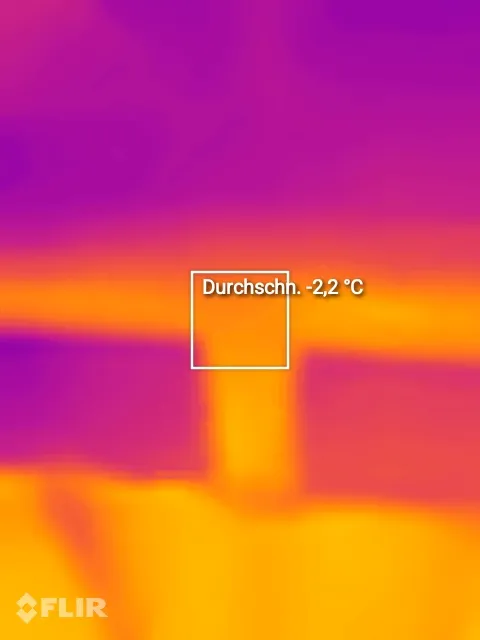

The measurement fields of the thermal imaging camera can be freely selected and combined
Using the thermal imaging camera requires some practice. The automatic mode occasionally struggles depending on the subject but generally works reliably. The closer the subject, the better the results. At greater distances, the low resolution limits differentiation.
The thermal imaging camera is not only useful for identifying issues such as insulation defects but can also be used creatively. The extensive settings for contouring, color schemes, and overlays with original images provide a wide range of possibilities.


Thermal imaging camera as a tool for determining the condition of building insulation


Thermal image of a person, hand with contouring, selfie without contouring
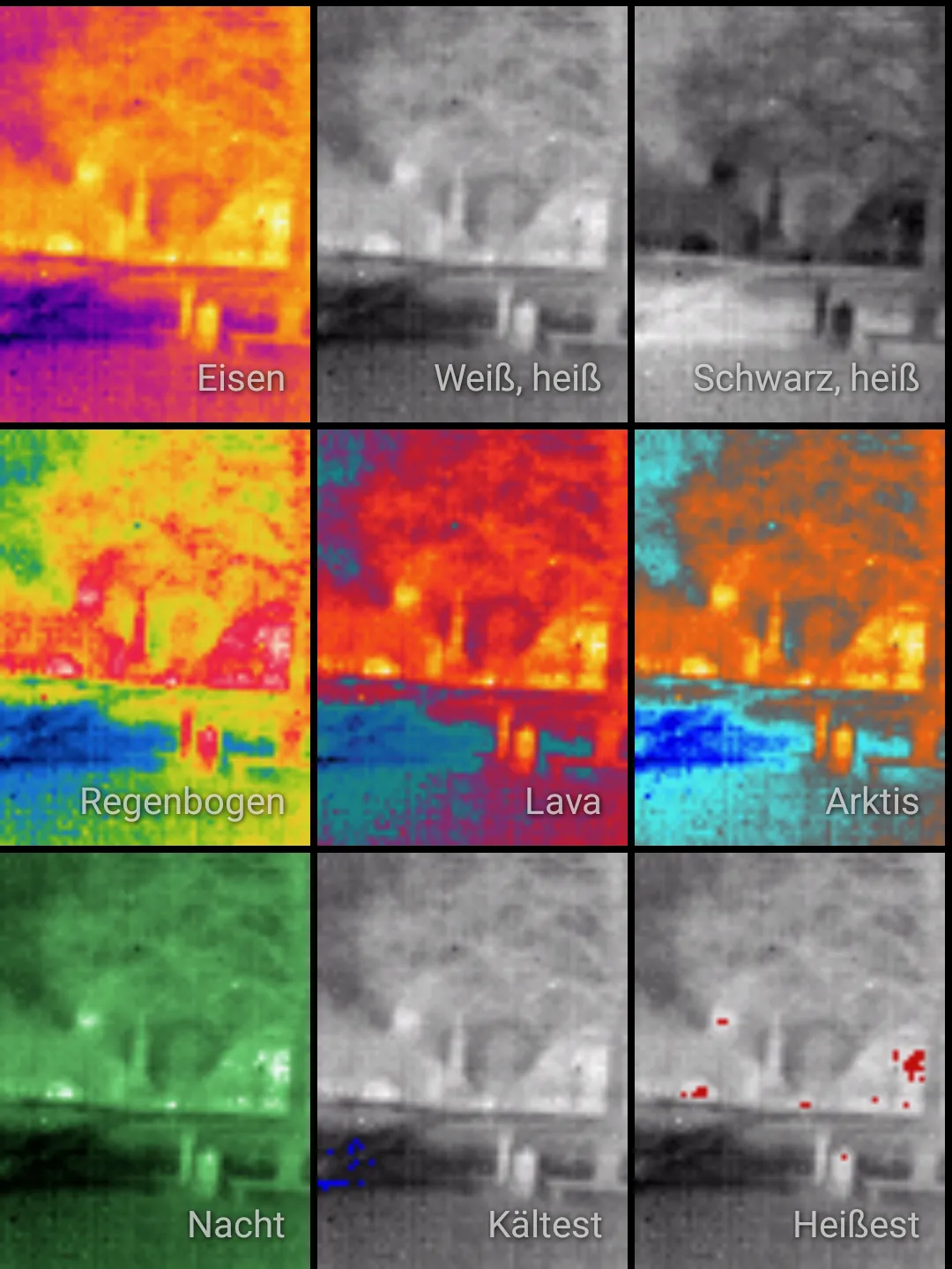
Various modes for thermal image display


Thermal image only, with contours, superimposed on real image
Video recordings are also possible with the thermal imaging camera. We could not discern any difference in quality between videos and images. There is a slight motion blur from time to time, but otherwise still images from the videos can be used well. When panning the camera, the automatic does not always show the desired temperature spectrum, so there is a certain learning curve for use.
The video features of the Ulefone Armor 27T Pro are otherwise standard. During the day, both the sharpness and the amount of detail in the videos are at a good level. Slight judders when recording by hand are a bit annoying. Other devices offer better stabilization here. The autofocus is fast enough for most scenarios and does not produce any annoying back and forth.
At night, however, the videos are less pretty. Noise covers the entire image and the contrast skyrockets. The autofocus wobbles and rarely produces really sharp shots. Particularly with the 2x zoom, there is a lot of motion blur.
Conclusion
The Ulefone Armor 27T Pro is an excellent outdoor smartphone with impressive technical features. Its massive battery enables extremely long usage times, and charging times are reasonable. The robust casing is highly durable, offering IP69-rated water and dust resistance.
The camera setup includes a 50 MP main camera with a large sensor, a thermal imaging camera, and a night vision camera, making it suitable for various scenarios. Image quality is solid and remains consistent across different lighting conditions. However, the lack of multiple focal lengths results in subpar quality at 4x zoom, slightly detracting from an otherwise excellent impression.
Pros:
- Thermal imaging and night vision cameras
- Main camera performs well in all lighting conditions (standard focal length)
- LCD with 120 Hz and Full HD+
- Programmable button
- Good display
Cons:
- Very heavy
- No optical image stabilization
- Poor image quality at 4x zoom